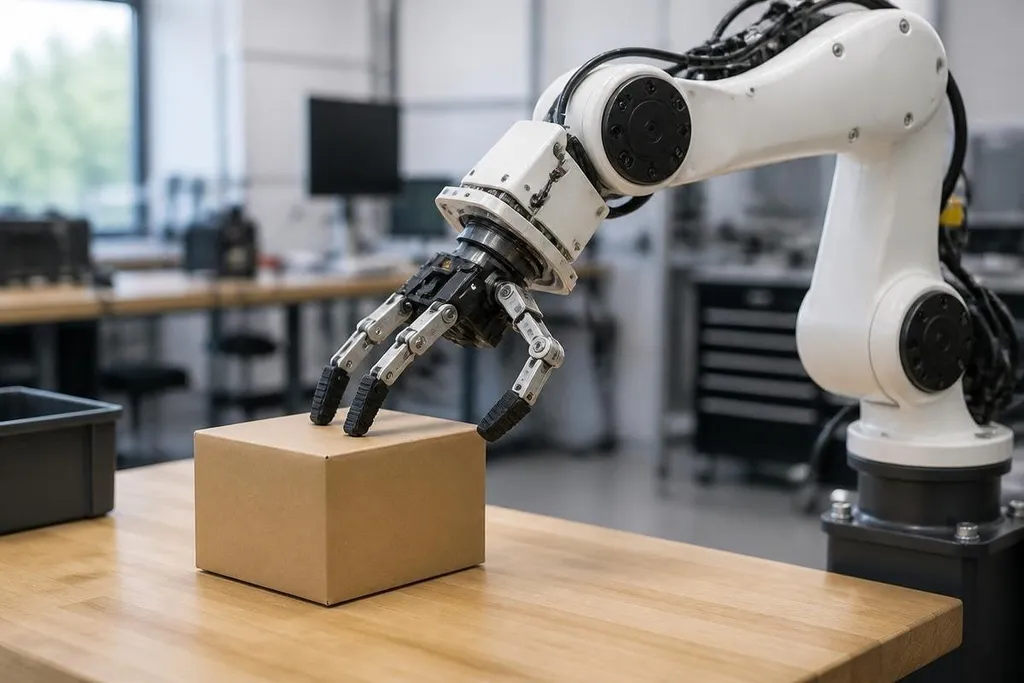
A robot hand can tell when an object touches its fingers, even though it has no skin or nerves. It learns this through sensors that turn pressure, vibration, force, and slip into data a control system can use.
- Tactile sensors measure contact at the robot’s fingers, feet, or body
- Software links sensor signals to actions such as grip, release, or stop
- The hard part is reliable sensing on objects with different shapes and surfaces
What robot touch sensors measure
Human skin combines several signals at once. Robotic touch systems split those signals across sensors, then send the readings to a computer.
Pressure sensors measure how hard an object presses against a surface. Force and torque sensors measure loads through a joint or tool, which helps a robot detect that it is pushing, lifting, or twisting something.
Some sensors detect vibration. That signal can help a robot notice when an object starts to slide inside a gripper. A camera may still see the object, but touch data can show that the grip is changing before the object drops.
The sensor readings are numbers, not feelings. Software gives those numbers meaning by comparing them with earlier examples and with the robot’s planned movement.
How the robot turns touch into action
The system first needs a link between a sensor pattern and a physical event. A sharp rise in pressure may mean contact. A change across several fingers may mean the object is moving. A steady load may mean the robot has a firm grip.
Those links can come from programmed rules, recorded examples, or a mix of the two. A rule might tell the robot to stop closing a gripper when force reaches a set limit. A learned model can handle a wider range of signals when the object, angle, or contact point changes.
The control loop then repeats the process. Sensors send readings, software checks them, and the robot adjusts its motors. The loop must run quickly enough to react before a box slips or a fragile part gets crushed.
For a factory engineer, this changes the job the robot can handle. Vision can locate a part on a tray, while touch can help the gripper check whether it has made contact and whether the part is secure.
Why touch is hard to copy
A pressure reading depends on more than the force itself. The result can change with the sensor’s position, the shape of the object, the material covering the sensor, and the speed of contact.
A smooth metal part may slide in a way that a rough rubber part does not. A soft item can spread pressure across a larger area. Dust, wear, heat, and cable damage can also change the signal, so a model trained in one setting may behave differently in another.
The robot must also separate useful contact from background vibration. Motors, gearboxes, and nearby equipment can all add noise to the data. Good control software needs to filter that noise without delaying the response.
The test has to leave the lab. Reports on tactile sensing from Robot24.com can help you compare a careful tap with contact during a real task, before the next section looks at where touch sensors work today.
Where tactile sensing helps today
Touch sensing fits tasks where sight leaves gaps. A robot may use it to hold parts with less force, detect contact during assembly, or stop when its tool meets an unexpected object.
It can also help with hand movement. A gripper that detects slip may tighten its fingers. At the tool, force readings can help a robot arm press against a surface without pushing past a set limit.
These abilities still depend on the full system. Sensor placement, wiring, control speed, software training, and maintenance all affect the result.
A sensor that works well in a lab may need new data and new limits before a factory can use it for many hours each day.
A practical check before buying a tactile system
Use these questions when you review a robot or sensor package:
- Name the contact event: Can the system detect touch, pressure, slip, force, or vibration?
- Check the response time: How long does the control system take to react after contact?
- Test the real materials: Run trials with the parts, surfaces, and tools used at your site.
- Ask about sensor wear: Find out how the sensing surface, cables, and connectors are replaced.
- Review failure behavior: Confirm that the robot stops or releases the object when readings fall outside safe limits.
- Measure repeatability: Run the same task many times and record missed contacts, dropped parts, and damaged items.
I’d judge a tactile robot by its error handling before its smoothest demonstration. Touch becomes useful when the system can detect a mistake, choose a safe response, and repeat that response across the work it was built to do.
The next useful proof will be simple: a robot handling unfamiliar parts for a full shift, with its contact errors and sensor replacements recorded.